
Home › Connect WhatsApp
How to connect your WhatsApp number to InvoiceMate
Once your WhatsApp Business number is connected, every new bill goes to the customer on WhatsApp by itself, from your own number — and you keep using the WhatsApp Business app on your phone as before. It takes about 5 minutes.
You need: the InvoiceMate app (Pro, or your free month of Pro), the Facebook account that runs your business, and your WhatsApp Business number.
The whole connection in one video
-
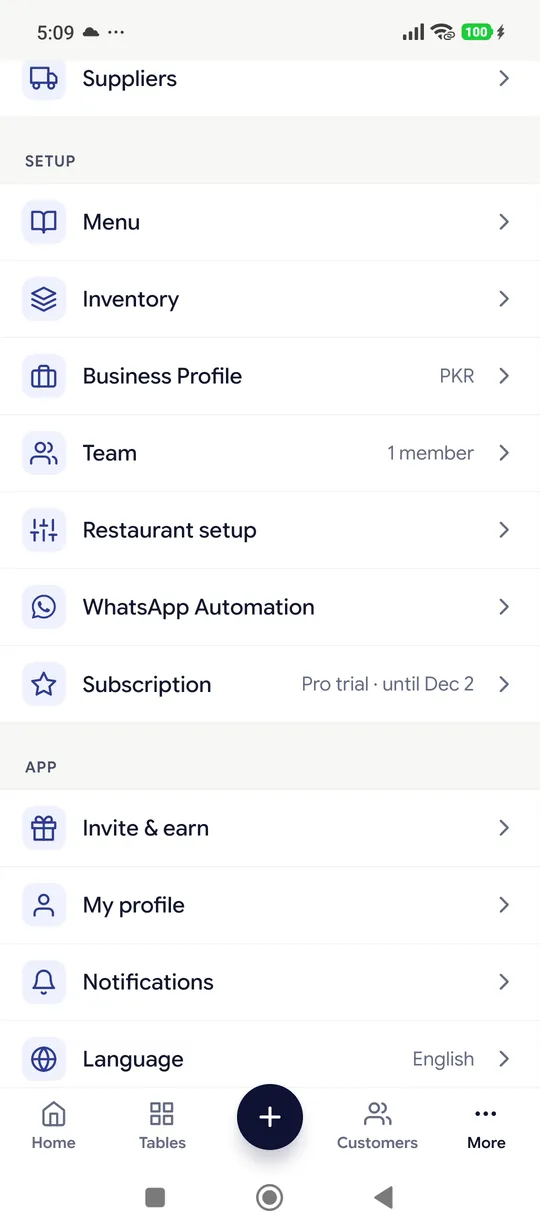
1Open WhatsApp Automation
In the InvoiceMate app tap More, then WhatsApp Automation.
-
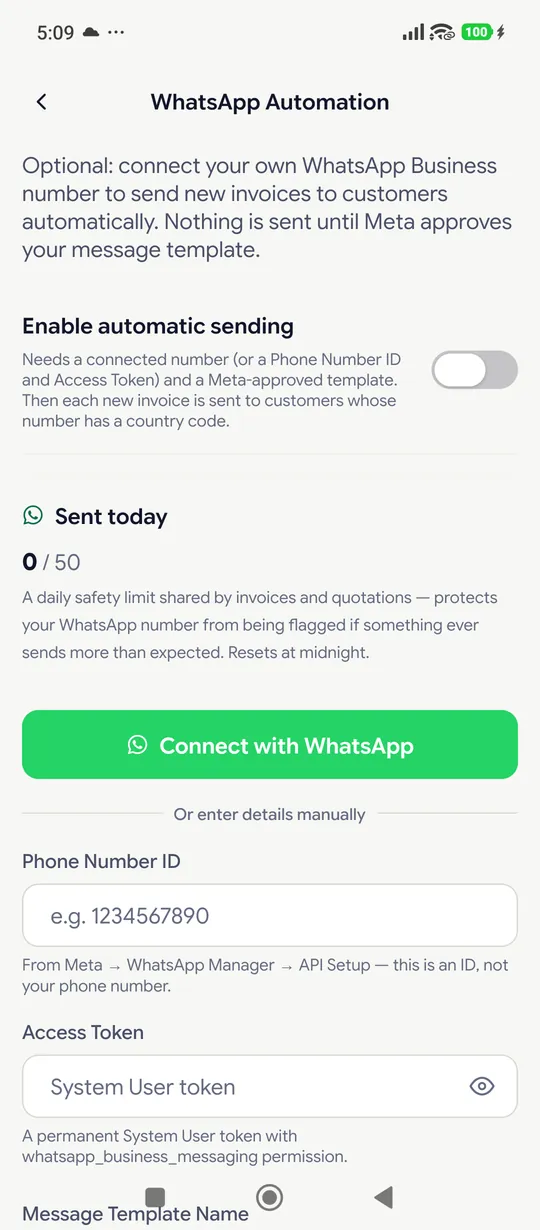
2Tap "Connect with WhatsApp"
A page opens in your phone's browser.
-
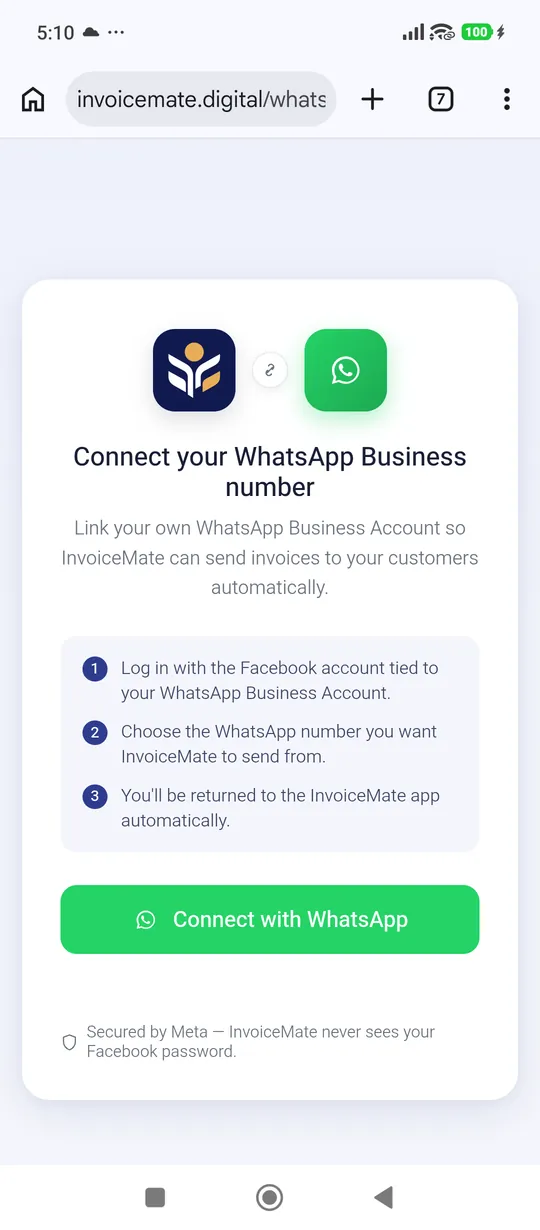
3Tap "Connect with WhatsApp" again
This opens Meta — the company behind Facebook and WhatsApp — on the same page.
-
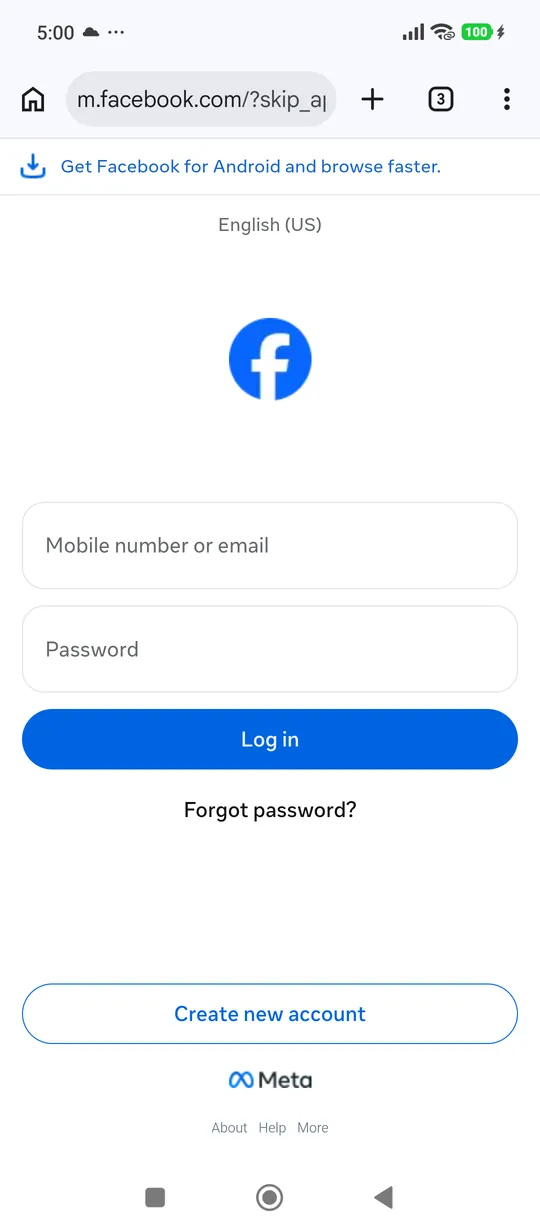
4Log in to Facebook
Use the Facebook account that runs your business. Forgot the password? Tap "Forgot password?" and Facebook sends a code to your phone or email. Already logged in? This step is skipped.
-
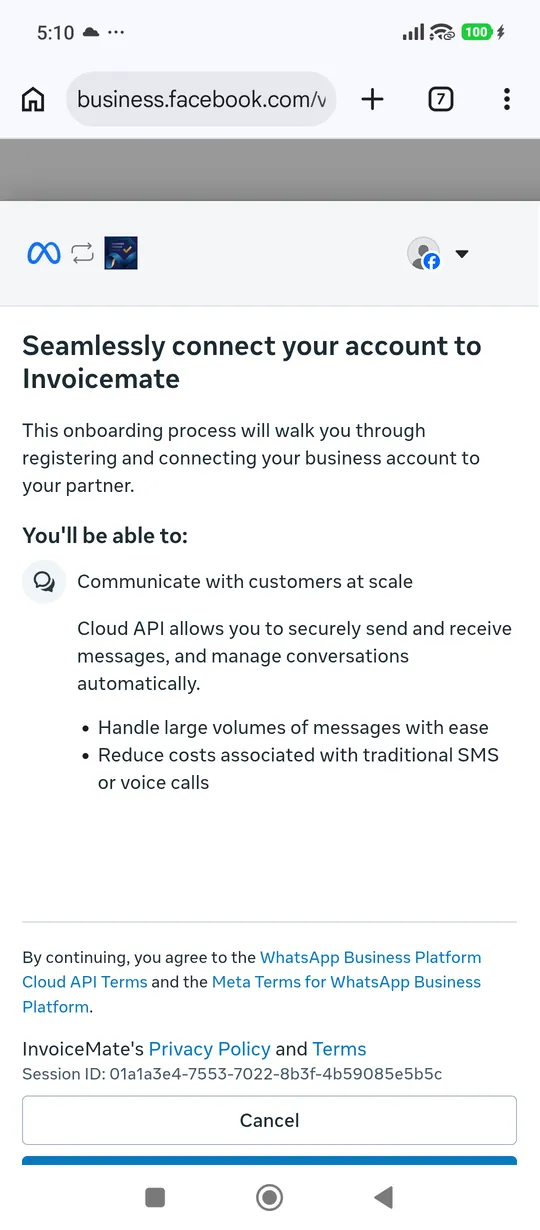
5Tap Continue
Meta shows what InvoiceMate will be able to do: send your bills and messages from your number.
-
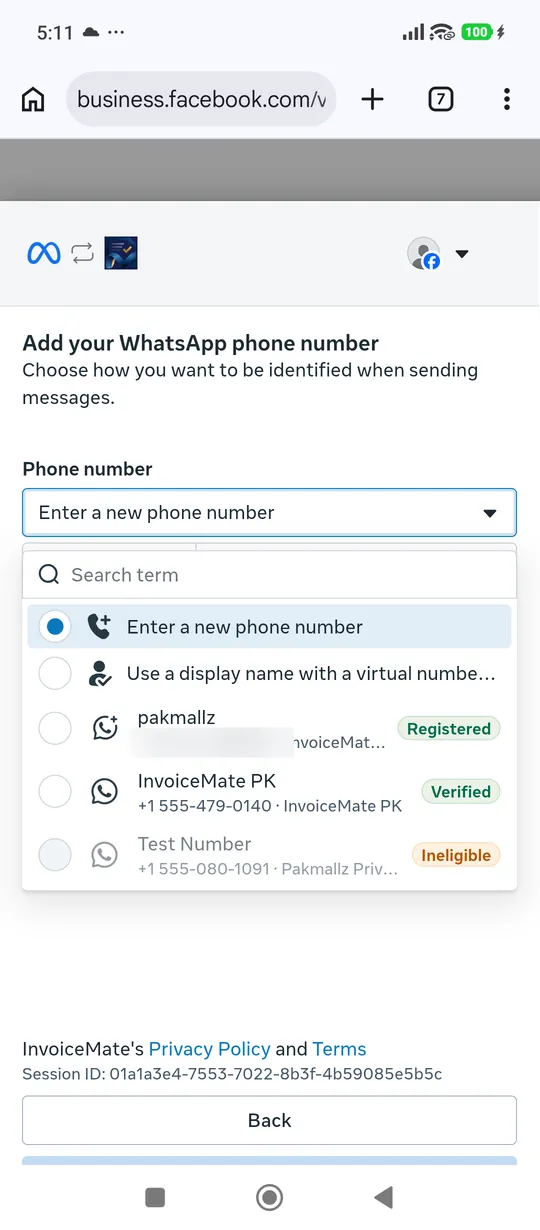
6Choose your WhatsApp number
Open the "Phone number" list and pick your WhatsApp Business number. A new number? Choose "Enter a new phone number", type it and enter the code Meta sends by SMS.
-
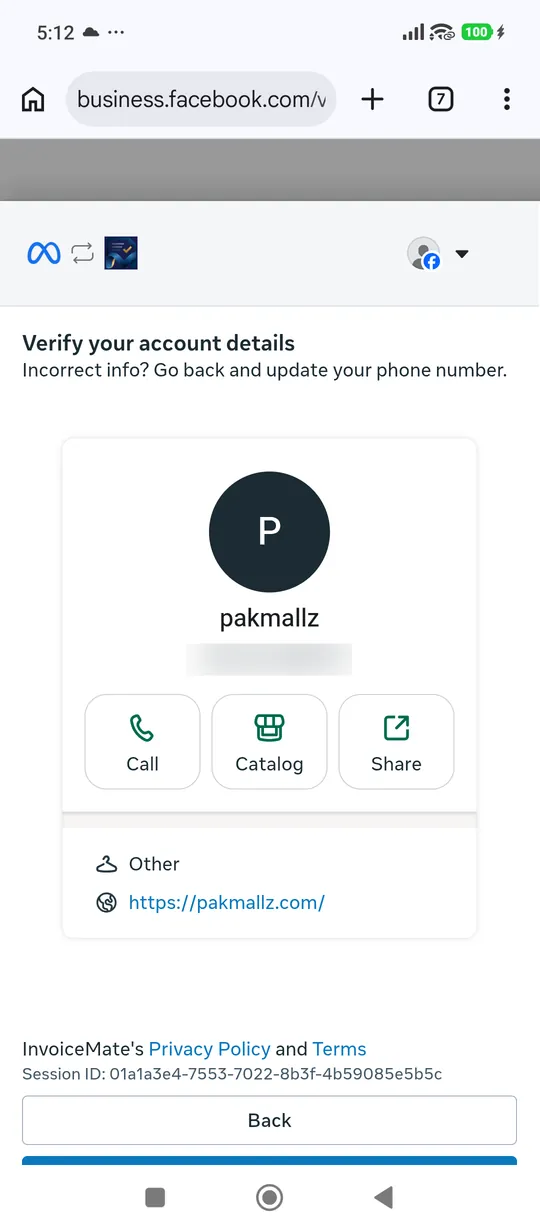
7Check the details
Your business name and number are shown. Tap Next.
-
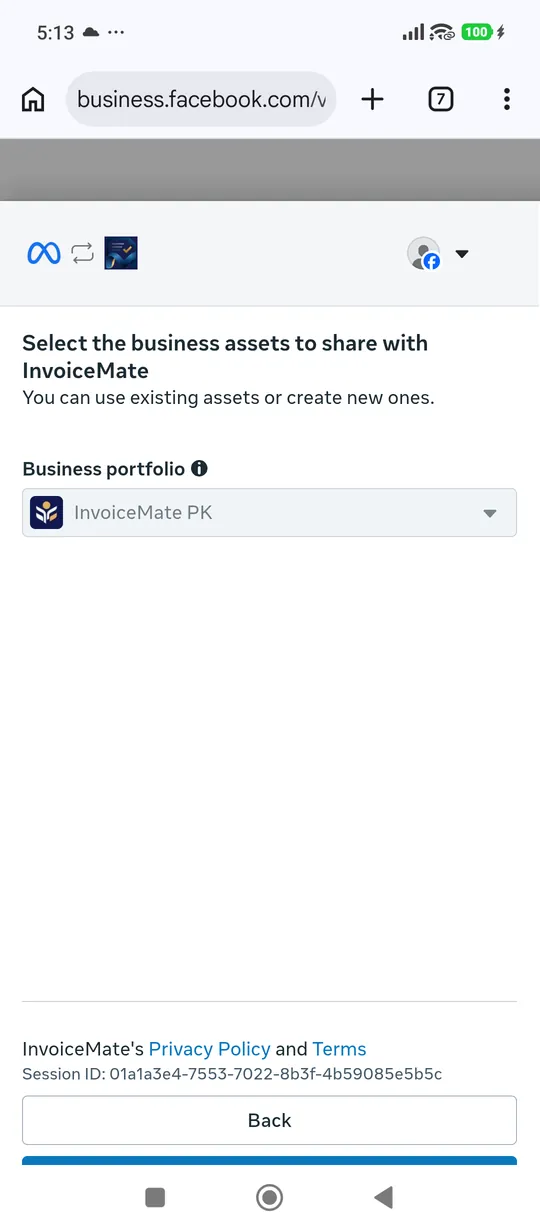
8Choose your business
Pick your business (Meta calls it a business portfolio), or make one with your shop's name. Tap Next.
-
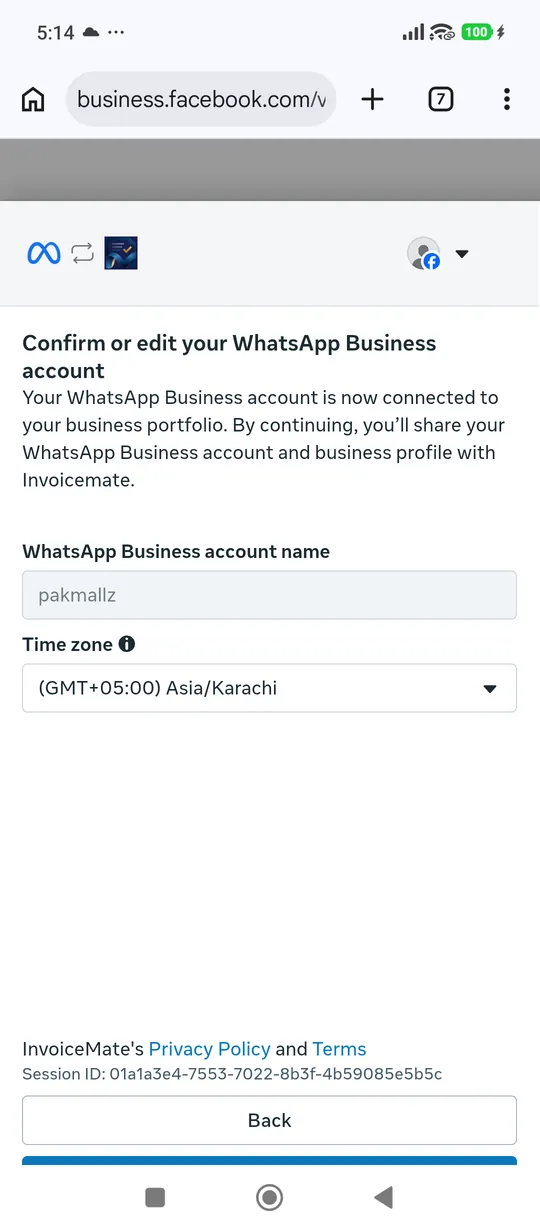
9Name and time zone
Keep your business name and your time zone (Asia/Karachi in Pakistan). Tap Next.
-
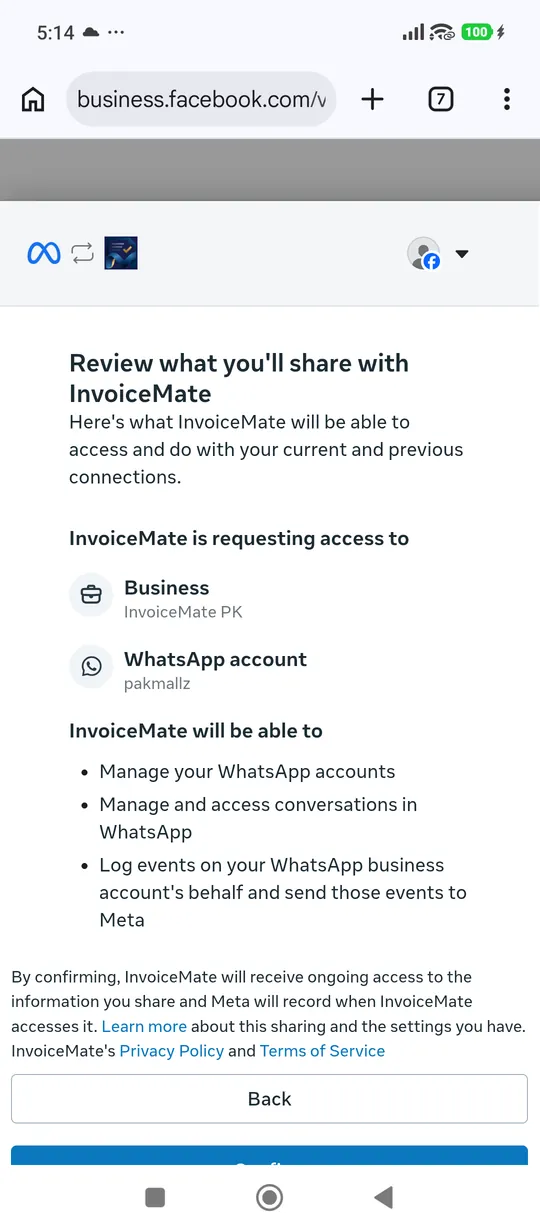
10Confirm
Meta lists what you share with InvoiceMate: your business and its WhatsApp account. Tap Confirm.
-
11Finish
"Your account is connected" — tap Finish. Meta charges a small fee for each bill sent on WhatsApp, so add a payment card with "Add payment method", now or later in WhatsApp Manager.
-
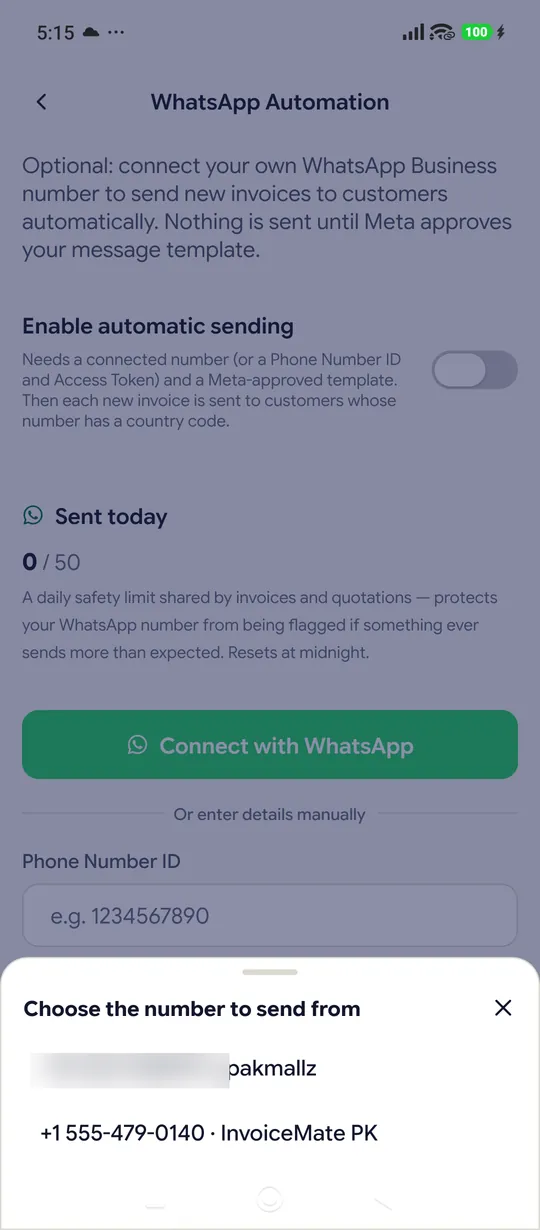
12Back in InvoiceMate, pick the number
The app opens by itself. If more than one number shows, tap the one you just connected.
-
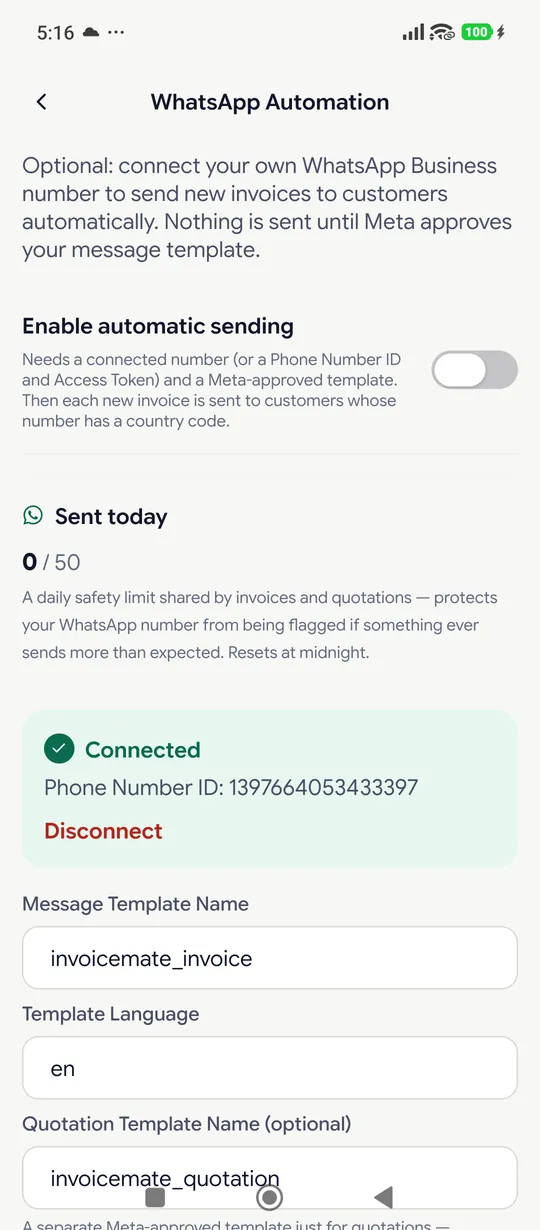
13Connected
InvoiceMate makes your bill and quotation messages and sends them to Meta for approval — usually a few minutes, at most a day. Then switch on "Enable automatic sending".
Questions
Will my WhatsApp Business app stop working?
No. Your chats stay on your phone and you reply as before; InvoiceMate only sends the bills from the same number.
What does it cost?
Meta charges your card for each bill message — about Rs 4 in Pakistan (Meta's rate from 1 October 2026). InvoiceMate adds nothing on top.
The app did not open after Finish
Tap "Return to InvoiceMate" on the page. It works for 30 minutes.
Facebook showed its news feed instead of Meta's screens
Go back to InvoiceMate and tap "Connect with WhatsApp" again. Once you are logged in, Meta's screens open straight away.
I am stuck
Message us on WhatsApp and we will connect it with you.